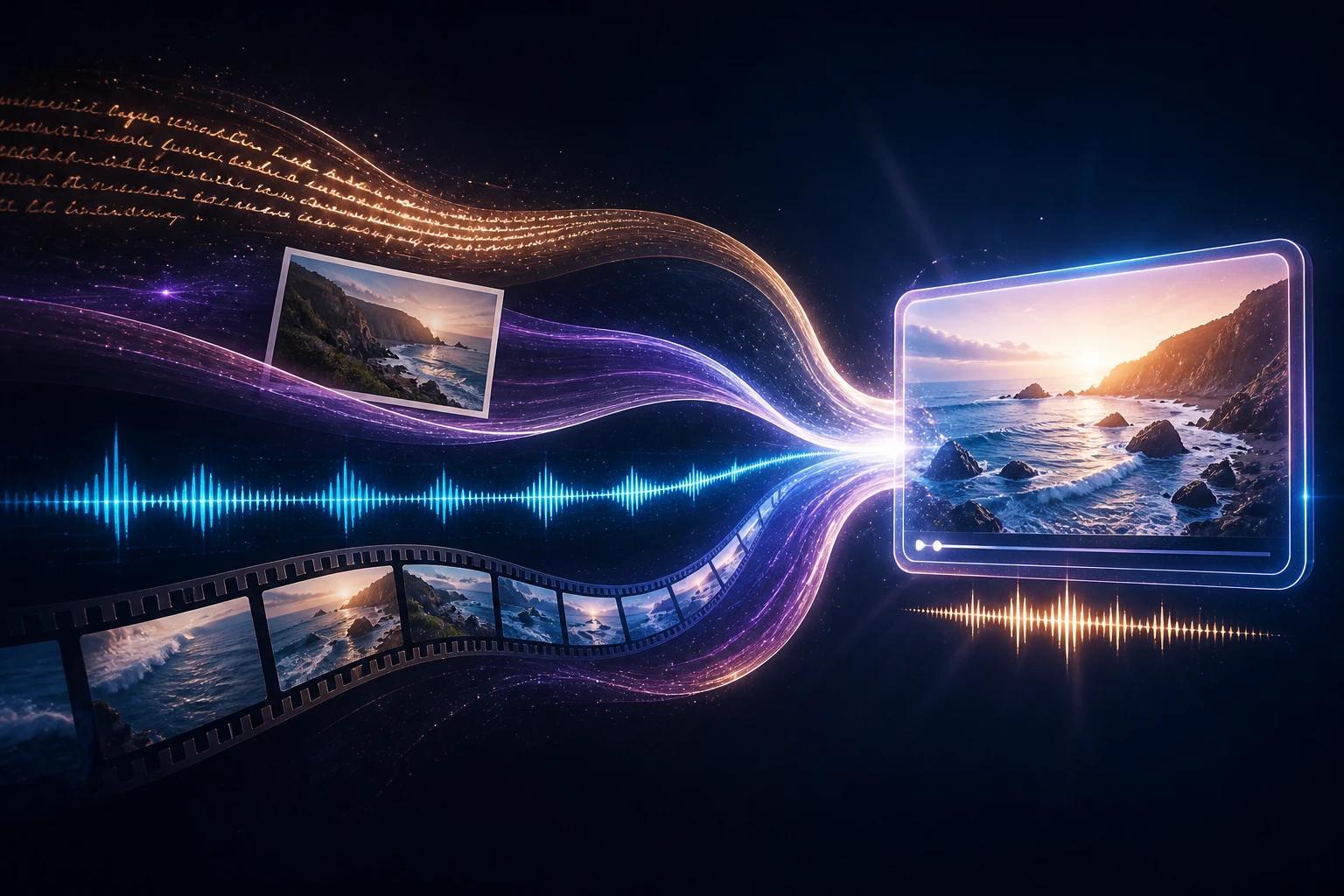
Gemini Omni is Google DeepMind's family of "any-to-any" AI models: you give it any mix of text, images, audio and video, and it creates a finished video with sound. You can then edit that video by simply telling it what to change. The first model in the family, Gemini Omni Flash, launched at Google I/O on May 19, 2026. Its upgrade, Gemini Omni 1.1 Flash, has been generally available since August 27, 2026.
Google describes Omni as the point "where Gemini's ability to reason meets the ability to create." In practice, that means a video model that understands physics, history and context, not just pixels. It also means you can work with it the way you work with a chatbot: one request at a time, keeping what works.
This guide covers what Gemini Omni is, how it works, what each version can do, how it compares with Veo, what it costs, and where you can use it today, including on OmniRender, where Gemini Omni 1.1 Flash runs in your browser with a free plan.
Gemini Omni at a glance
| Gemini Omni (1.1 Flash) | |
|---|---|
| Developer | Google DeepMind |
| Announced | May 19, 2026 (Google I/O) |
| Current model | Gemini Omni 1.1 Flash, model ID gemini-omni-1.1-flash, generally available since Aug 27, 2026 |
| Inputs | Text, images, video clips, audio (voice references in Google's apps) |
| Output | Video with native audio: music, sound effects and lip-synced dialogue |
| Clip length | 3 to 10 seconds per generation; extend in 10-second steps up to 40 seconds |
| Resolution | 720p by default; 360p drafts; 1080p and 4K via upscaling |
| Aspect ratios | 16:9 (landscape) and 9:16 (vertical) |
| Editing | Multi-turn conversational editing of generated or uploaded clips |
| Control | Image and video references, first and last frame, timestamps |
| Watermark | Invisible SynthID on every video, plus C2PA credentials in Google's apps |
| Where to use it | Gemini app, Google Flow, YouTube Shorts and Create, Google Vids, Gemini API, Google AI Studio, partner apps such as OmniRender |
Sources: Google DeepMind model page, Gemini API docs.
How Gemini Omni works
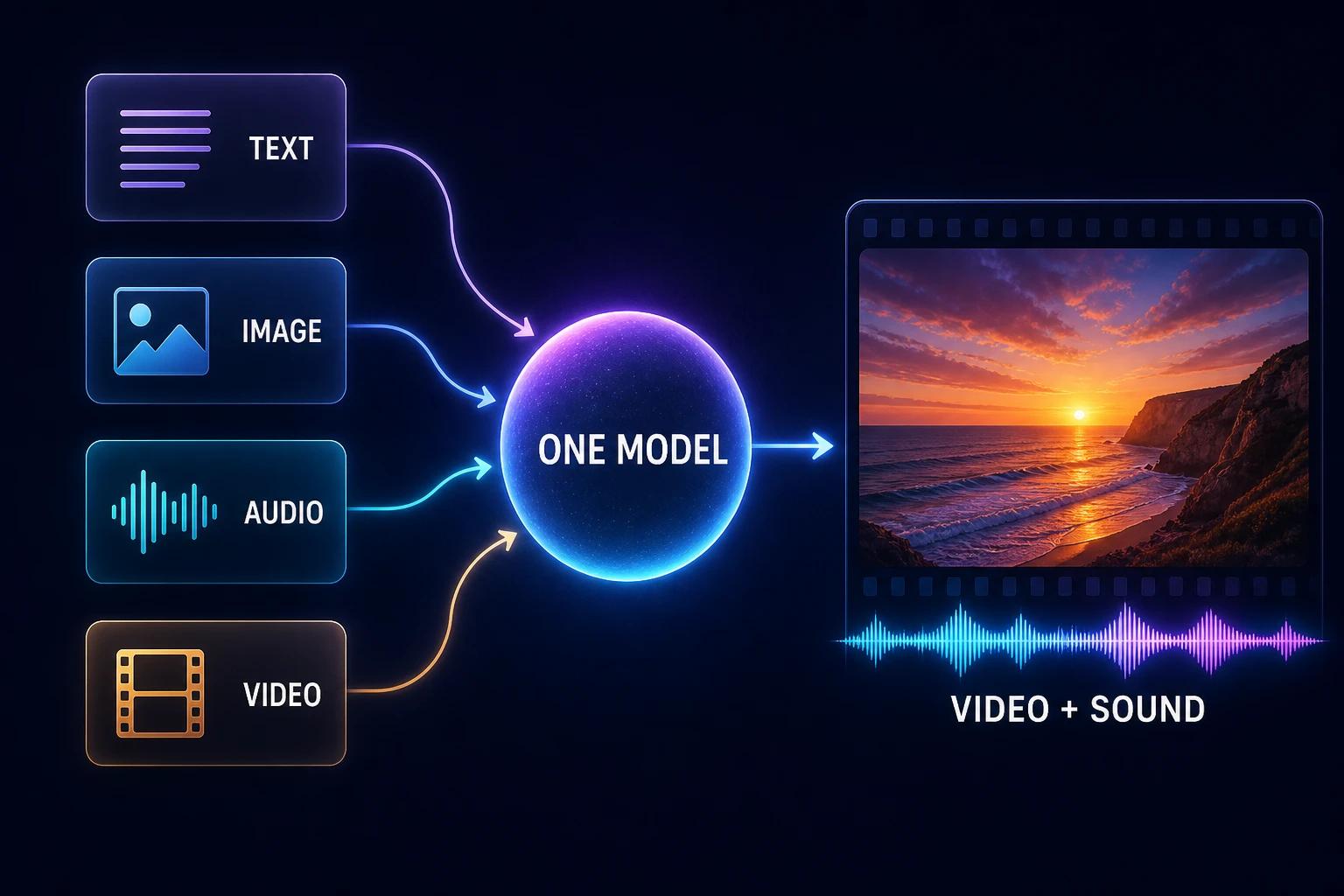
Most AI video tools chain separate systems together: one model reads your prompt, another draws frames, a third adds sound. Gemini Omni does all of it in one model. That single design choice explains most of what makes it different.
1. Native multimodality
Gemini Omni reads text, images, audio and video at the same time, in the same model. So when you write "make the character from this photo dance to the rhythm of this clip," Omni actually understands how the photo, the clip and the instruction relate. It doesn't just paste them together. The result is more consistent characters, more faithful references and audio that matches what happens on screen.
2. Gemini's world knowledge
Omni is built on the same foundation as Google's Gemini language models. It knows how gravity, momentum and liquids behave, and it knows a lot about history, science and culture. That's why a short prompt like "a claymation explainer of protein folding" can produce something accurate rather than just pretty. Google's prompt guide makes the point directly: older models like Veo needed precise instructions, while with Omni you can describe what you want and let the model fill in the details.
3. Conversation as the editing tool
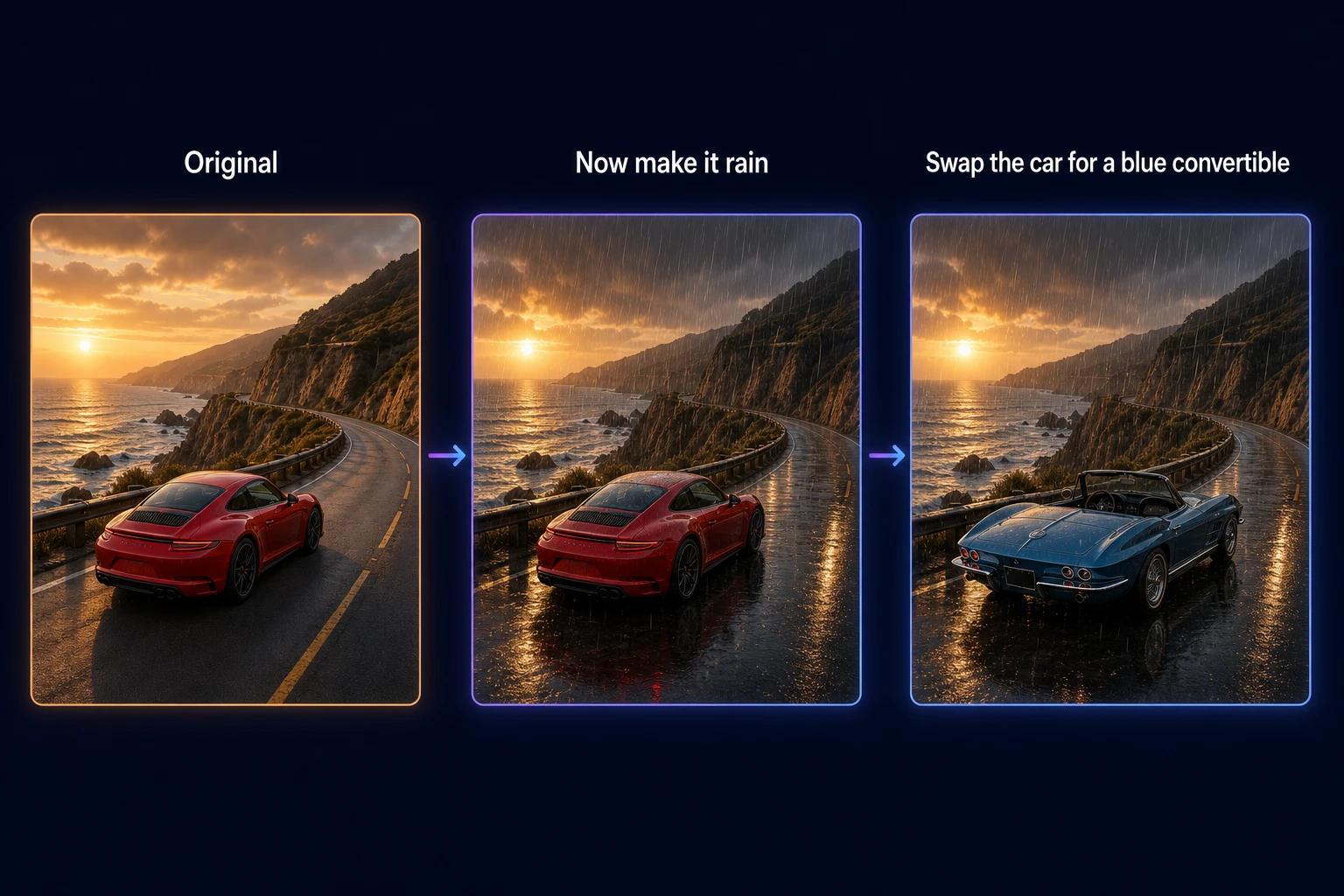
Google compares Omni to Nano Banana, its popular image editor, applied to video. Each instruction builds on the last one. You can say "swap the red car for a vintage blue convertible," then "now make it rain," and Omni keeps the rest of the scene intact. Through the API this works with a previous_interaction_id, so the model remembers the video without you re-uploading it.
4. Reasoning before rendering
Because Omni plans before it draws, it handles instructions that pure video generators struggle with: timed events ("after 3 seconds, a woman enters"), readable on-screen text, rapid-fire sequences and actions synced to music. By default it will even plan a few different shots to tell a short story. You can ask for one continuous shot if you prefer.
Key features of Gemini Omni
Text to video. Describe a scene, the camera move and the mood, and Omni returns a 3 to 10 second clip with sound. It understands film language: dolly-in, whip pan, locked-off shot, handheld.
Image to video. Upload a photo, product shot or even a sketch and Omni animates it. You can use the image as the literal first frame, or only as a guide for movement and style.
Reference to video. Combine several images (characters, outfits, products, a style) plus up to three short video clips of up to 3 seconds each. Omni keeps each reference consistent across the clip. The Gemini app accepts up to 5 photo references.
Native audio and dialogue. Music, ambient sound and speech are generated with the picture, not added afterwards. Put a line in quotes and a character says it with matching lip movement.
Conversational video editing. Change the lighting, background, outfit, camera angle or style of an existing clip with one sentence. Omni changes only what you ask and preserves the rest. You can also edit your own uploaded footage (with regional limits, see below).
Scene extension up to 40 seconds. New in 1.1 Flash: continue a clip from where it ends, 10 seconds at a time, up to 40 seconds in total. Omni reads up to the last 10 seconds of the clip to keep motion, characters and audio coherent.
First and last frame control. Supply a start image and an end image, describe the move between them, and Omni fills in the shot. It's ideal for transitions, orbits and seamless loops.
Draft in 360p, finish in 4K. Iterate cheaply at 360p, then render the keeper at 720p, or upscale it to 1080p or 4K.
Readable text and timing. Omni renders on-screen text accurately and follows timing cues like "[0-3s]" or "every 2 seconds, cut to a new location."
Real-world physics. Google trained Omni to handle gravity, momentum and fluid dynamics more convincingly, so chain reactions, splashes and fast sports read as real.
Gemini Omni versions: Flash vs 1.1 Flash (and Pro)
Gemini Omni is a model family, and so far Google has shipped two Flash models. "Flash" is Google's name for its fast, efficient tier.
| Gemini Omni Flash | Gemini Omni 1.1 Flash | |
|---|---|---|
| Released | May 19, 2026 (apps); API preview June 30, 2026 | August 27, 2026 (generally available) |
| Model ID | gemini-omni-flash-preview (retirement from Sept 30, 2026) | gemini-omni-1.1-flash |
| Max length | 10 seconds per clip | 10 seconds per clip, extendable to 40 seconds |
| Resolution | 720p | 360p draft, 720p, 1080p and 4K (upscaled) |
| References | Images, plus a source video to edit | Images plus up to 3 video reference clips (3 s each) |
| First/last frame | No | Yes |
| Scene extension | No | Yes, 10 s steps reading up to 10 s of prior context |
What about Gemini Omni Pro? Launch coverage pointed to a larger Omni model above Flash, but as of October 2026 Google has not released or dated one. We'll update this guide when it lands.
Gemini Omni release timeline
| Date | Milestone |
|---|---|
| Sept 30, 2026 | Preview model ID gemini-omni-flash-preview reaches its earliest deprecation date |
| Aug 27, 2026 | Gemini Omni 1.1 Flash released: scene extension to 40 s, first/last frame, 360p to 4K |
| June 30, 2026 | Developer access via the Gemini API opens in preview |
| June 2026 | Omni Flash reaches #1 in the Arena.ai Video Arena for text-to-video and image-to-video |
| May 19, 2026 | Gemini Omni announced at Google I/O; Omni Flash rolls out in the Gemini app, Google Flow and YouTube Shorts |
Gemini Omni vs Veo: what's the difference?
Veo is Google's dedicated video generation model, built for cinematic shots from a prompt. Gemini Omni is a reasoning model that creates and edits video. Both come from Google DeepMind, and Veo still exists as a separate model for developers. But in the Gemini app, Omni has replaced Veo 3.1 as the default video model.
| Gemini Omni | Veo | |
|---|---|---|
| What it is | Multimodal reasoning model that outputs video | Specialized text/image-to-video model |
| Best at | Editing, combining references, story logic, timing | Single cinematic generations |
| Prompting style | Describe intent; Omni infers details from world knowledge | Precise, detailed prompts work best |
| Inputs | Text, images, video, audio in one request | Text and images |
| Edits a finished clip | Yes, through conversation, turn after turn | Limited |
| Status in the Gemini app | Default video model | Replaced by Omni |
On quality, Omni Flash entered the Arena.ai Video Arena at #1 for text-to-video in June 2026, about 158 points ahead of Veo 3.1. Leaderboards move fast and newer rivals have since closed the gap, so treat rankings as a snapshot rather than a verdict.
The short version: choose Omni when you want to iterate, edit and mix inputs. Veo remains a solid option for developers who need a single, tightly specified cinematic shot.
Where to use Gemini Omni (and is it free?)
Gemini Omni is available in several Google products and through partner apps. Access and cost depend on where you use it.
| Where | Who can use it | Cost |
|---|---|---|
| OmniRender | Anyone, in the browser, worldwide | Free plan (a few 360p videos a month, no card); paid plans from $14/month |
| YouTube Shorts and YouTube Create | Everyone | Free |
| Gemini app | Google AI Plus, Pro and Ultra subscribers (18+) | Included in the subscription; features vary by tier and country |
| Google Flow | Google AI Plus, Pro and Ultra subscribers | Included, uses Flow credits |
| Gemini API / Google AI Studio | Developers on the paid tier | About $0.10 per second of 720p video |
| Gemini Enterprise Agent Platform | Businesses on Google Cloud | Enterprise pricing |
Is Gemini Omni free?
Yes, in a few places. YouTube Shorts and the YouTube Create app let anyone use Omni Flash at no cost, within YouTube's own tools. College students can also get Google's Pro plan free for a year. On OmniRender's free plan you get 160 credits a month, enough for up to 3 videos at 360p, with no card required.
The Gemini API has no free tier for Omni.
How much does Gemini Omni cost?
For developers, Google prices Omni by tokens: $1.50 per million input tokens and $17.50 per million video output tokens. One second of 720p video uses 5,792 tokens, which works out to roughly $0.10 per second, or about $1 for a 10-second clip (Gemini API pricing).
For creators, a subscription is usually simpler. OmniRender plans run from Creator ($14/month, up to 56 videos) to Studio ($49/month, up to 200 videos) and Agency ($99/month, up to 440 videos). Every paid plan includes a commercial licence, and one-time credit packs that never expire are available if you'd rather not subscribe.
Want to build Omni into your own product? See the Gemini Omni API guide.
Limitations to know before you start
Gemini Omni is impressive, but it has clear limits today. Knowing them saves credits.
- Short clips. A single generation tops out at 10 seconds. Longer scenes come from chaining extensions, up to 40 seconds in total, and only at the end of a clip (no prepending or inserting in the middle).
- Regional limits on uploads. In the EEA, Switzerland and the UK, you can't edit or extend videos you upload. Videos generated by Omni can still be edited and extended everywhere.
- People and likeness. Uploading images of certain recognizable people isn't supported, and images of minors can't be uploaded or edited in the EEA, Switzerland and the UK.
- Voice. Editing someone's voice isn't supported, and you can't add new dialogue when extending an uploaded clip where someone is already talking.
- Video references. Omni uses video references for likeness only; their audio is ignored. Reasoning across multiple source videos at once isn't supported yet.
- Language. English is fully supported. Other languages often work, but Google hasn't formally evaluated them.
- No negative-prompt field. Write exclusions into the prompt itself, for example "no dialogue" or "no text on screen."
Safety and watermarking
Every video Omni creates carries SynthID, Google's invisible watermark. Content made in the Gemini app, Google Flow or YouTube also includes C2PA Content Credentials. You can upload a video to the Gemini app and ask whether it was made with Google AI. Before release, Google ran automated and human red-teaming (by specialist teams outside the model's development team) plus ethics and safety reviews.
What's next for Gemini Omni
Omni starts with video, but Google has said image and audio outputs are on the roadmap. Expect two directions in the coming months: a heavier model above Flash, and more output types from the same any-to-any system. For now, Gemini Omni 1.1 Flash is the production model, and the fastest way to learn it is to use it.
Gemini Omni FAQ
What is the difference between Gemini and Gemini Omni?
Gemini is Google's family of AI models and the name of its assistant app. Gemini Omni is a specific model family inside Gemini that creates and edits media, starting with video. You can use Omni inside the Gemini app, but it is a different model from the Gemini chat models.
How do I get Gemini Omni?
The fastest way is in your browser: create a free OmniRender account and Gemini Omni 1.1 Flash is the default model. You can also use it in the Gemini app and Google Flow with a Google AI Plus, Pro or Ultra plan, free in YouTube Shorts and YouTube Create, or through the Gemini API. Our step-by-step guide on how to use Gemini Omni Flash walks through each option.
Does Gemini Omni cost money?
It can be free: YouTube Shorts, YouTube Create and OmniRender's free plan all let you try it without paying. Heavier use needs a Google AI subscription, an OmniRender plan from $14/month, or paid Gemini API usage at about $0.10 per second of 720p video.
Is Gemini Omni available in my country?
Google is rolling Omni out wherever the Gemini app is available, with features varying by plan and region. OmniRender works worldwide in the browser. Users in the EEA, Switzerland and the UK can't edit or extend their own uploaded videos.
How long can Gemini Omni videos be?
Each generation is 3 to 10 seconds. With Gemini Omni 1.1 Flash you can extend a clip in 10-second steps up to 40 seconds in total.
Does Gemini Omni generate sound?
Yes. Music, sound effects and dialogue are generated together with the video. Put dialogue in quotes and the character speaks it with lip sync.
Can Gemini Omni generate images?
Not yet. Today Omni outputs video only. Google has said image and audio outputs will follow. For images, Google's Nano Banana models are the current option.
Is Gemini Omni open source?
No. Gemini Omni is a proprietary Google DeepMind model, available through Google's apps, its API and licensed partners.
What is Gemini Omni 1.1 Flash?
It's the current, generally available version of Omni (model ID gemini-omni-1.1-flash). Compared with the original Omni Flash it adds scene extension to 40 seconds, first and last frame control, video references and 360p-to-4K output. See our full Gemini Omni 1.1 Flash overview.
Try Gemini Omni now
The best way to understand Gemini Omni is to make something with it. Write one sentence, add a photo if you like, and see what comes back. Then tell it what to change.
Start creating free on OmniRender, then read the Gemini Omni prompt guide to get better results from every credit.
Sources
- Introducing Gemini Omni, Google, May 19, 2026
- Gemini Omni model page, Google DeepMind
- Gemini Omni prompt guide, Google DeepMind
- Generate and edit videos with Gemini Omni Flash, Gemini API docs
- Gemini Developer API pricing, Google
- Gemini Omni in the Gemini app, Google
- Gemini Omni 1.1 Flash lets you build with more control, Google
- Arena.ai Video Arena announcement, June 2026